LMS Automation
Conversion tool instantly turning old documents into reusable LMS-ready HTML templates with dynamic learner fields.
LMS Operations
AI & Automation
About project
This project explored how AI could reduce repetitive certificate production work inside an LMS environment.
Certificate production previously relied on manually written Word documents. The documents contained the right information, but they were static, inconsistent, and not ready for automated LMS delivery.
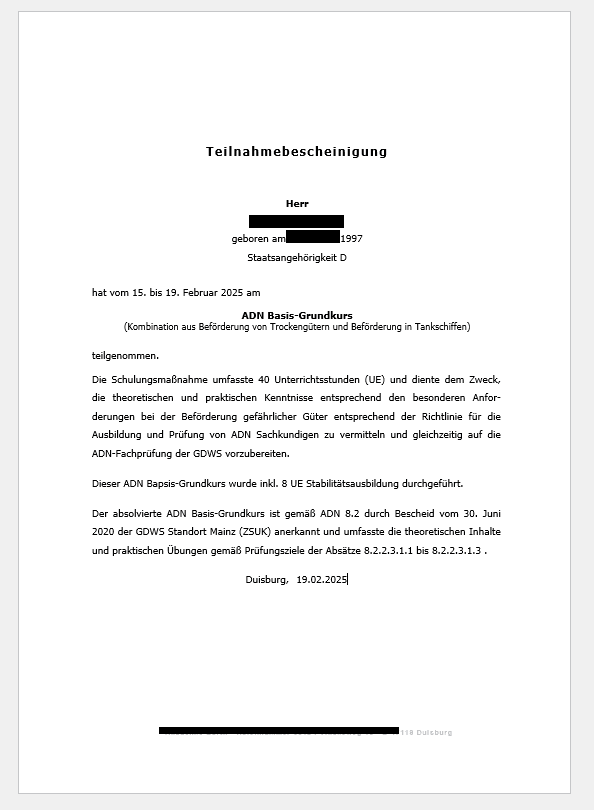
The challenge was to turn these one-off Word certificates into reusable HTML templates that could be copied into the LMS, populated with learner data, and reused across different certificate types.
Challenge
Converting word documents into HTML is fairly quick and simple.
The real challenge was understanding how certificates needed to work inside the LMS: layout settings, spacing, borders, margins, dynamic fields, signature areas, and the awkward template rules that control how the final certificate renders.
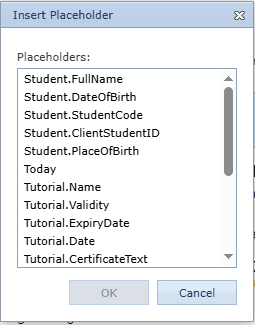
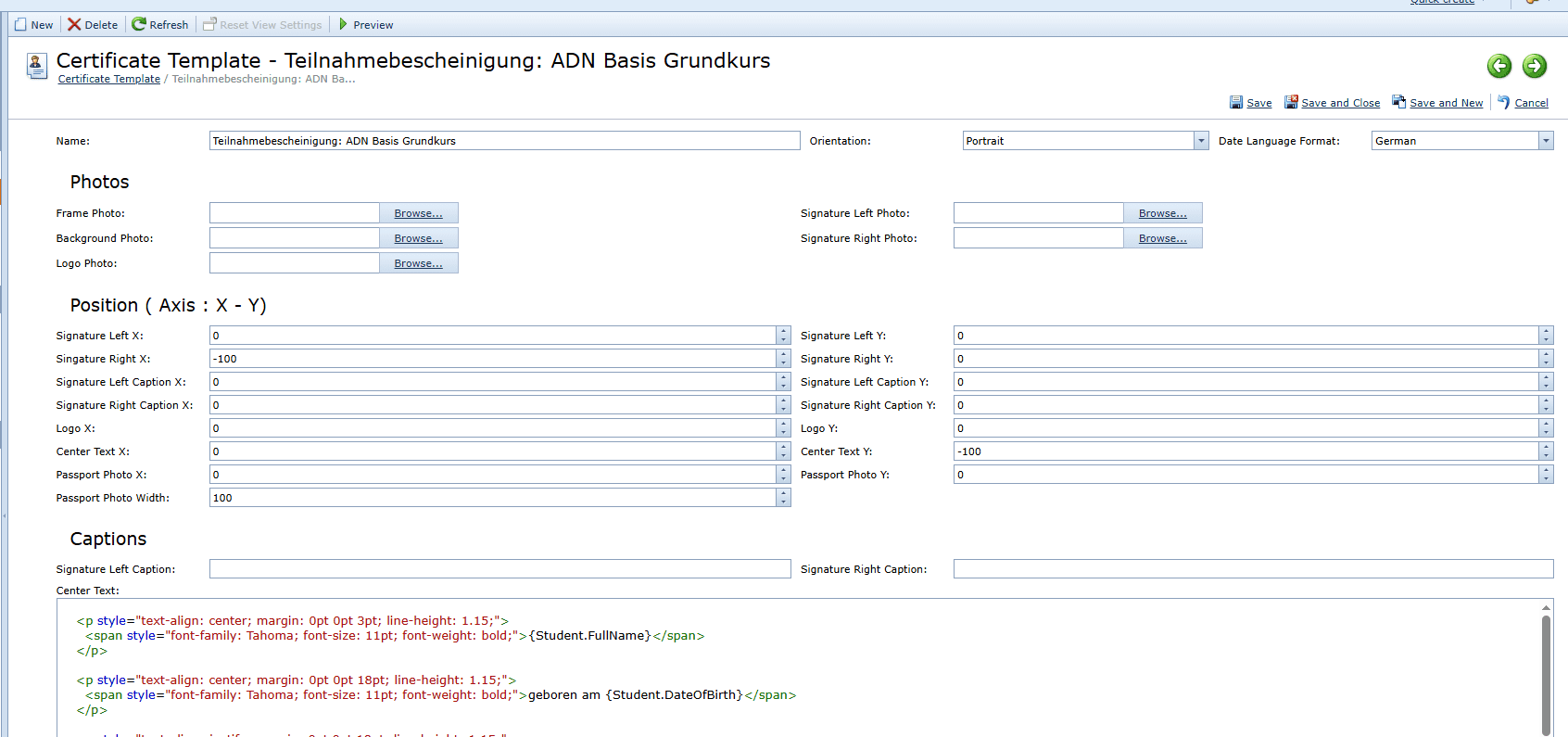
Without a structured template, each certificate required manual formatting, repeated layout checks, spacing adjustments, and technical setup inside the LMS.
This created a bottleneck. Secretaries and admin staff could prepare Word documents, but they could not easily turn them into clean LMS-ready HTML without technical knowledge.
Process
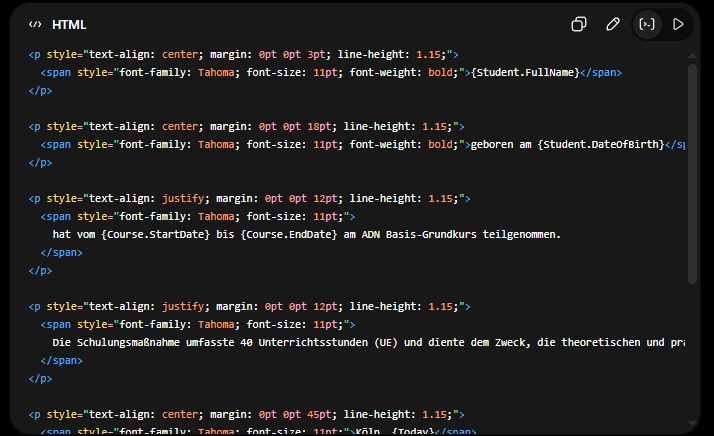
I created an AI-assisted workflow that could take a manually written Word certificate and turn it into a clean HTML/CSS certificate template.
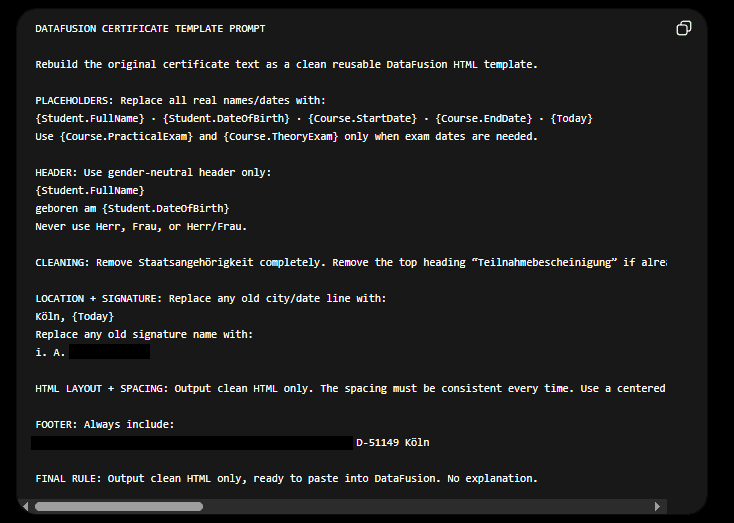
The workflow analysed the certificate structure, preserved the original meaning, and identified which parts should become reusable dynamic fields.
Examples included:
student name
course title
completion date
certificate number
instructor name
signature information
organisation details
Instead of leaving a sentence like:
John Smith successfully completed Basic Safety Training on 12 March 2026.
The workflow converted it into reusable template logic:
{{student_name}} successfully completed {{course_name}} on {{completion_date}}.
This turned a static document into a flexible LMS production asset.
LMS Template Setup
A major part of the project was solving the LMS formatting problem once, instead of repeating it every time.
The HTML output had to work with the LMS certificate template area, including spacing, borders, alignment, page layout, and placeholder logic.
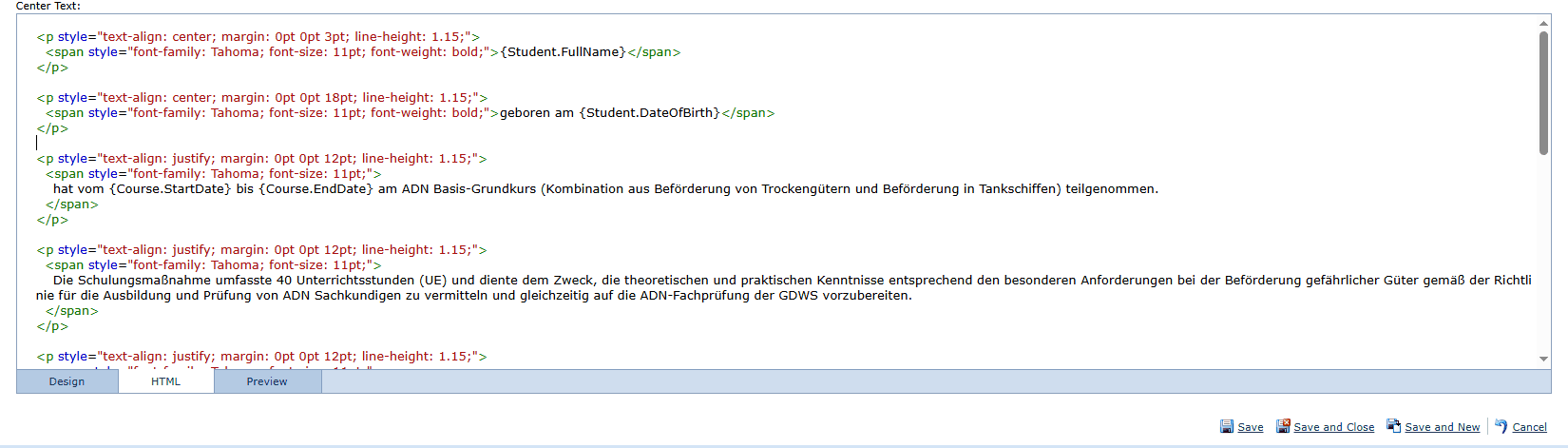
Once the structure was working, the process became much simpler: admin staff could copy certificate text from an old Word document, paste it into the AI-assisted workflow, and receive a properly formatted HTML certificate template without needing to understand HTML, CSS, or LMS template settings.
Input: a manually written Word document with static text, outdated names or locations, inconsistent spacing, and no reusable placeholder fields.
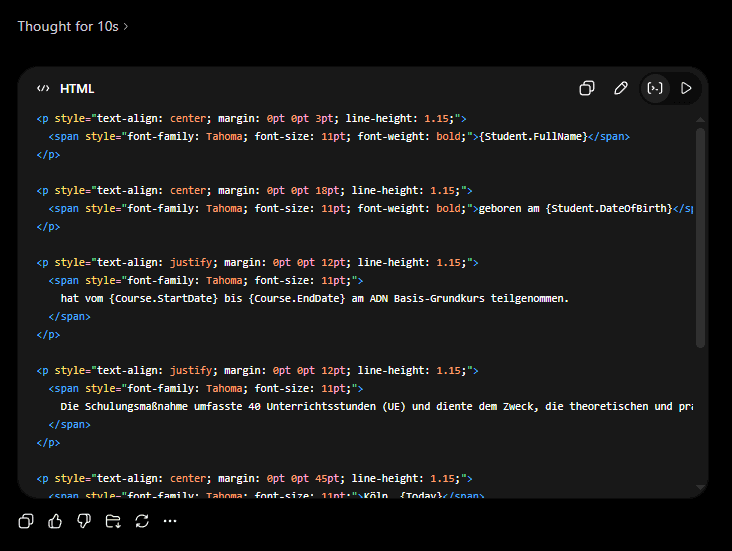
Output: a clean LMS-ready HTML certificate template with updated wording, corrected names and locations, reusable learner/course placeholders, standardised spacing, borders, alignment, and layout styling, ready to paste into the LMS HTML editor and test.
Result
The final workflow created a reusable certificate production system, not just a one-off HTML conversion.
After the initial LMS template setup and formatting logic had been solved, future certificate updates became dramatically easier. Instead of rebuilding certificate layouts manually, checking spacing, adjusting borders, and reworking LMS template settings each time, staff could copy certificate wording from an existing Word document, paste it into the workflow, and generate a clean LMS-ready HTML version.
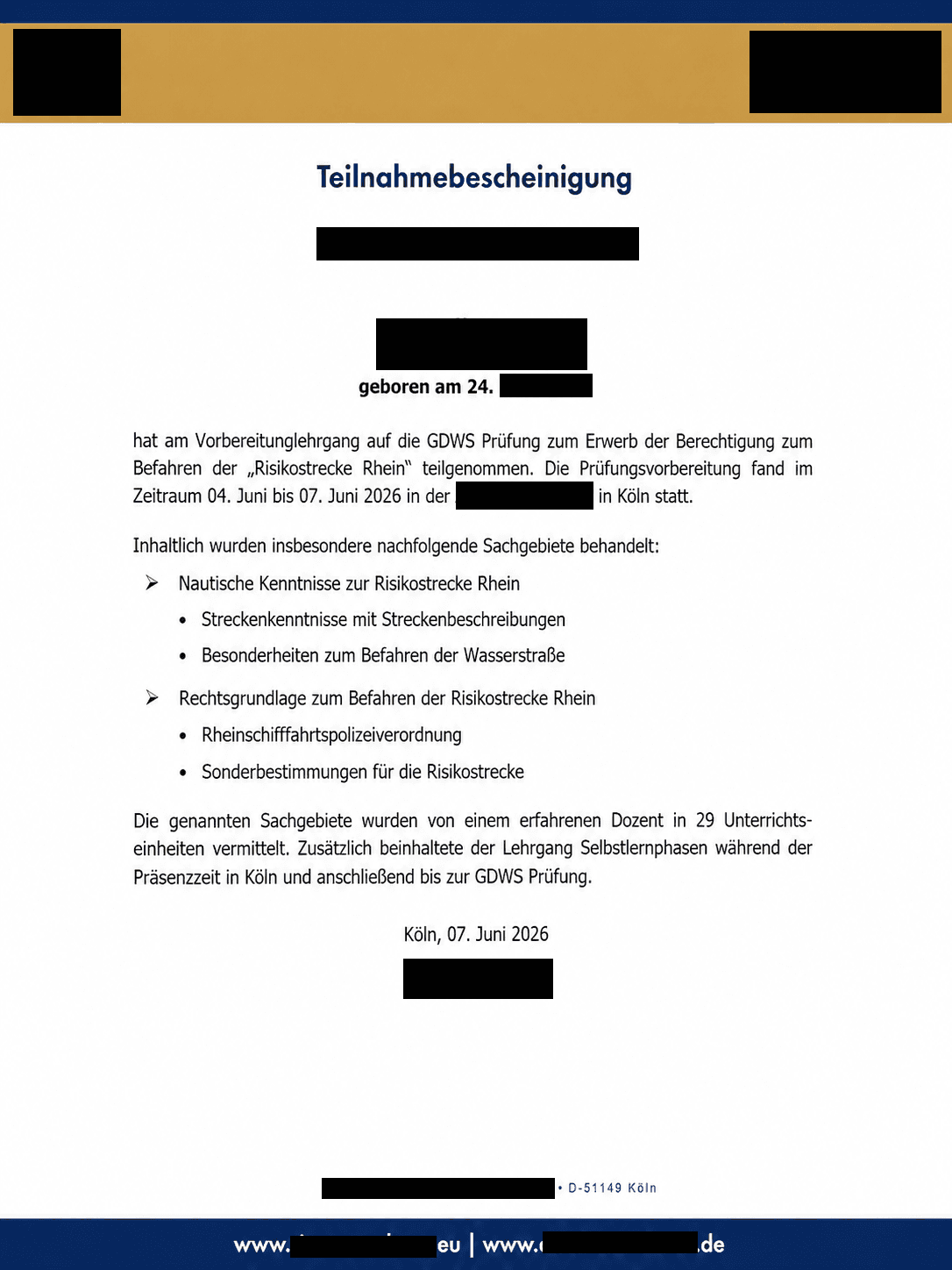
The certificate above is essentially created in 30 seconds by simply pasting a document into the tool, and receiving the complete HTML output with all placeholders, spacing, and formatting requirements made by the tool.
This turned a slow technical formatting task into a simple admin-friendly process.
The biggest value was ongoing time saving. Whenever certificates are updated, duplicated, corrected, or created for new courses, the workflow can be reused to produce consistent HTML output quickly without requiring secretaries or course administrators to understand HTML, CSS, or LMS template configuration.
What previously required manual rebuilding and repeated formatting checks can now be reduced to a short copy-paste-and-review process.
Estimated production impact:
The initial certificate rebuild process was reduced from roughly two days of manual formatting and LMS setup to around one hour of AI-assisted template production, review, and refinement. For future certificate updates, the workflow turns what used to be a manual formatting task into a quick copy-paste-and-review process.
Project shots